

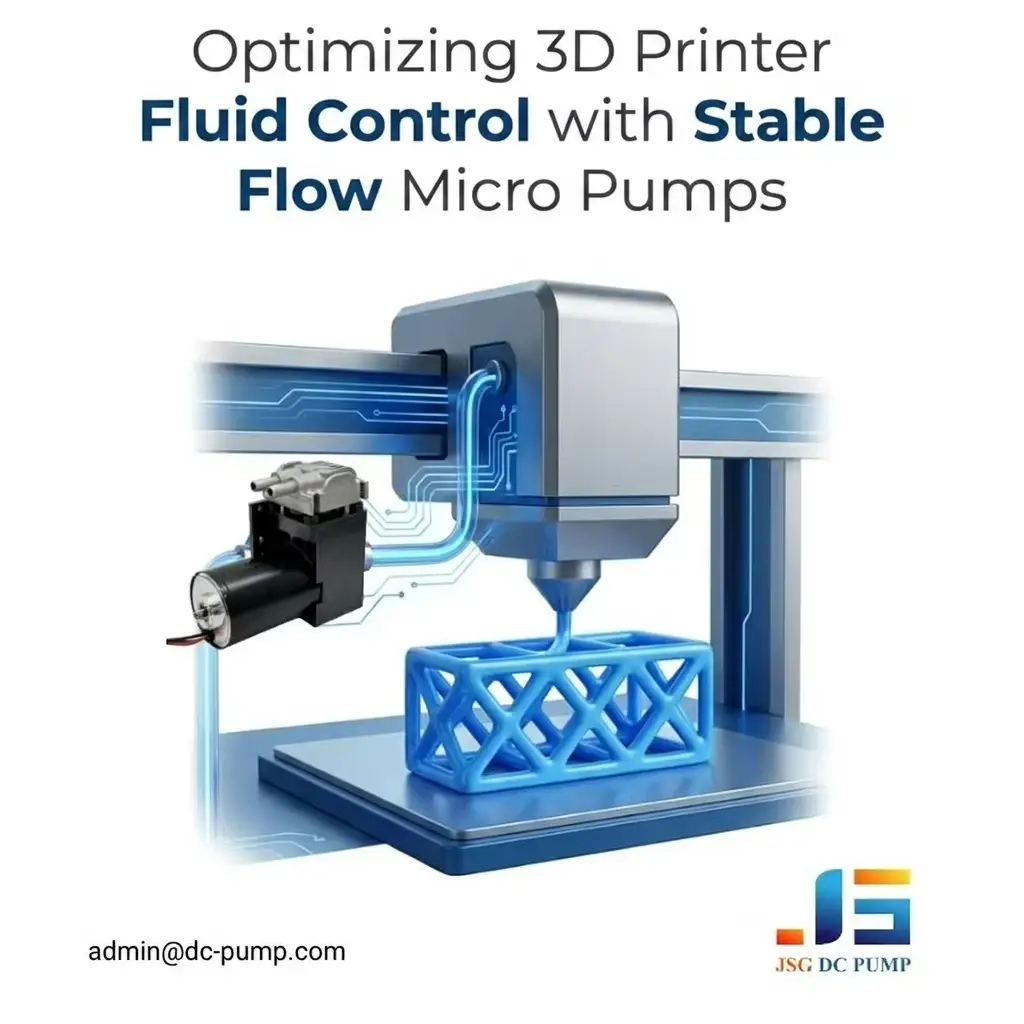
Your pump-assisted 3D printing system delivers inconsistent results: uneven bead width, surface defects, and sudden precision loss. In pneumatic extrusion, direct ink writing, or vacuum-assisted handling, unstable pressure, vacuum, or auxiliary fluid flow can reduce process repeatability and make system tuning more difficult.
Stable flow micro pumps support precision 3D printing by providing controllable air pressure, vacuum, or compatible liquid movement under changing load conditions. They are most relevant to pneumatic extrusion, direct ink writing, fixture adsorption, automated handling, and verified auxiliary fluid circuits rather than conventional filament-fed FFF/FDM printers.
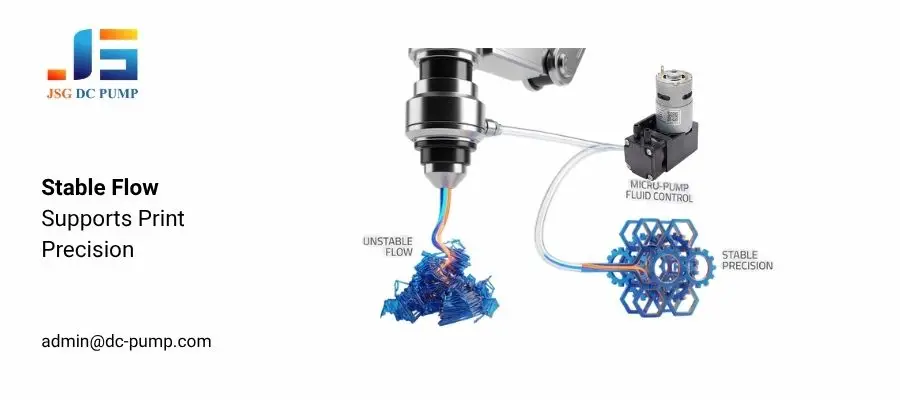
In my experience with precision micro pumps, a pump can appear stable during free-flow bench testing but behave differently after the regulator, tubing, valves, material cartridge, and nozzle are connected. Real nozzle backpressure, material rheology, temperature, leakage, and control response determine the actual operating point. The pump is not always the only cause; stable printing requires the complete system to operate as a matched circuit.
What 3D Printing Problems Can Unstable Micro Pump Flow Cause?
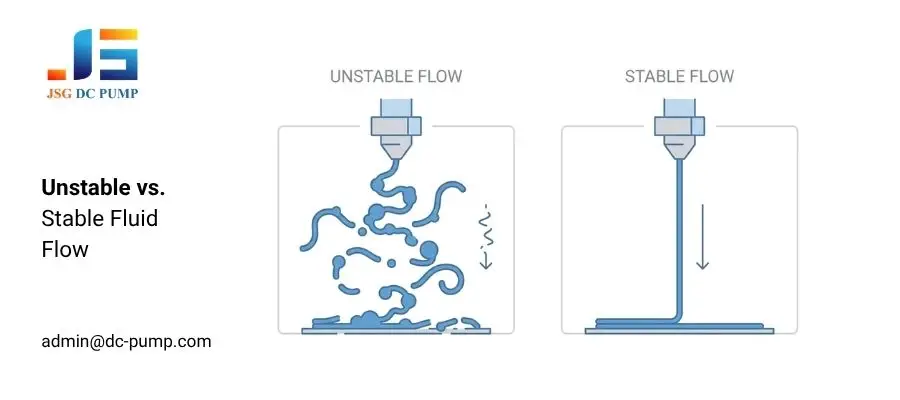
Your printer may still complete a build, and the material may appear suitable during initial testing. However, pressure or flow variation can gradually affect bead width, layer consistency, surface finish, and dimensional repeatability.
Unstable micro pump output can be difficult to identify because its symptoms often resemble printer calibration errors, nozzle problems, or changes in material viscosity. In pump-assisted printing, engineers should compare the commanded pressure, measured pressure, extrusion response, and actual system load before identifying the root cause.
Common Defects Caused by Unstable Flow
1. Over-extrusion — Excessive pressure or a temporary pressure overshoot can increase material delivery and create blobs or local surface bulging.
2. Under-extrusion — Insufficient working pressure or slow pressure recovery can reduce material output and create gaps between deposited paths.
3. Layer inconsistency — Changing extrusion output can produce uneven bead width or height and reduce layer-to-layer repeatability.
4. Surface artifacts — Pressure pulsation, delayed response, or unstable material flow can leave periodic marks and rough surface textures.
5. Dimensional deviation — Repeated variation in deposited material volume can move the finished part outside the intended tolerance.
6. Efficiency drops — Unstable output increases calibration time, rejected prints, material waste, and repeated prototype testing.
These defects can reduce visual quality, structural consistency, and overall production yield. However, poor print quality should prompt engineers to inspect the complete pressure and extrusion circuit rather than assuming that the micro pump is the only cause.
Why Does Poor Integration Disrupt Precision Micro Pump Flow?
Replacing the micro pump alone may not eliminate flow fluctuations. A pump that performs well during open-flow testing can still miss the required operating point after the complete pneumatic circuit is connected.
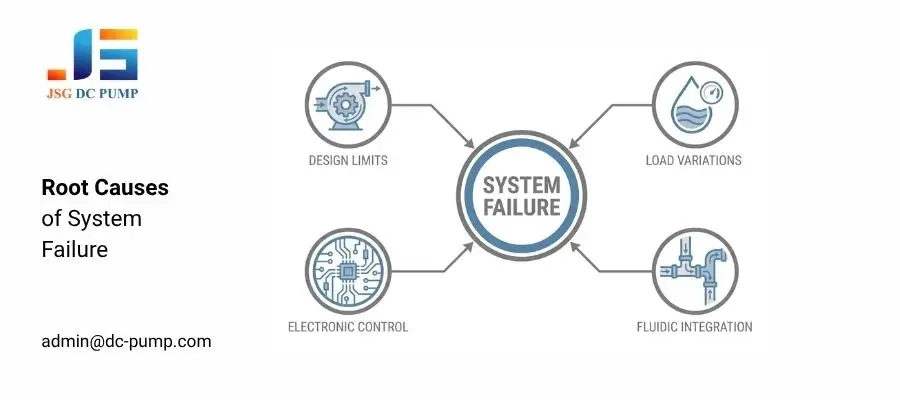
Flow instability is usually a system-level problem involving pump performance, changing material load, electronic control, tubing resistance, valves, regulators, reservoirs, and nozzle backpressure. Small mismatches between these components can combine and create delayed or uneven extrusion.
System-Level Triggers for Flow Instability
1. Pump operating-point mismatch — The pump may provide sufficient maximum flow or pressure but insufficient airflow at the actual working pressure required by the extrusion system.
2. Dynamic load variations — Changes in nozzle resistance, material rheology, temperature, and cartridge conditions continuously affect the required extrusion pressure.
3. Inadequate electronic control — Unstable voltage, unsuitable PWM settings, limited feedback, or poor control-loop tuning can cause pump speed and pressure variation.
4. Poor fluidic integration — Narrow tubing, restrictive fittings, leaks, excessive dead volume, or an incorrectly sized buffer tank can reduce response speed and increase pressure loss.
These factors can change motor speed, pressure recovery, pulsation, and available flow at the nozzle. Stable operation therefore requires testing the complete system under its real pressure, temperature, material, and duty-cycle conditions.
How Do Stable Flow Micro Pumps Improve 3D Printing Quality?
Your printer may still produce inconsistent results even after motion calibration and software adjustment. Software changes cannot fully correct pressure ripple, leakage, delayed pressure recovery, or excessive pneumatic resistance.
A properly selected and integrated micro pump helps the system maintain more repeatable pressure, vacuum, or auxiliary fluid movement. This can improve extrusion consistency, but the final printing result still depends on material rheology, nozzle geometry, temperature, motion control, and process settings.
Key Improvements from Stable Flow
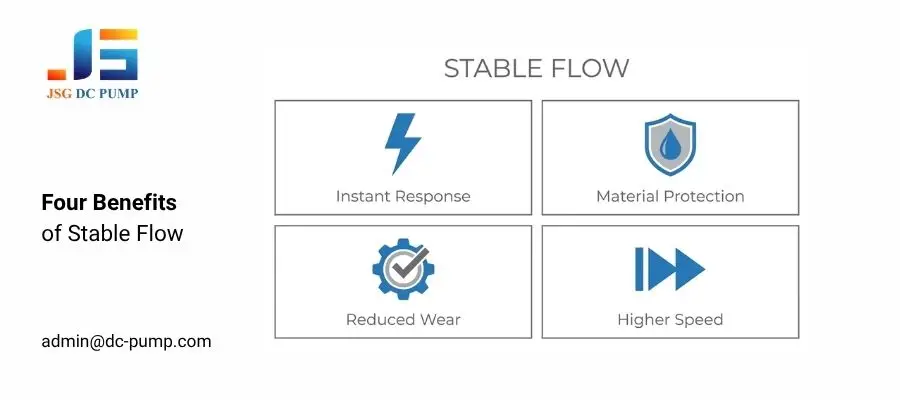
1. Faster pressure response — A matched pump, regulator, reservoir, and valve arrangement can reduce the delay between a control command and the resulting material output.
2. More repeatable material delivery — Stable working pressure helps maintain more consistent bead width when material properties and nozzle conditions remain within the validated range.
3. Reduced hardware fatigue — Controlled pressure transitions can reduce unnecessary shock loads on tubing, valves, seals, cartridges, and nozzle components.
4. Higher usable throughput — Adequate flow reserve and properly tuned control may support faster printing stages, but the final speed must be confirmed through real material testing.
How Do You Choose Stable Flow Micro Pumps for 3D Printing?
You cannot select a pump based only on maximum free flow, maximum pressure, or maximum vacuum. A pump with suitable headline specifications may still provide insufficient output after the regulator, tubing, valves, cartridge, and nozzle resistance are included.
Selecting the right micro pump requires matching its working curve, control method, duty cycle, temperature rise, size, noise, and expected life with the complete printing system. Sample testing should reproduce the actual material, tubing, nozzle, pressure, and operating cycle.
Key Selection Logic
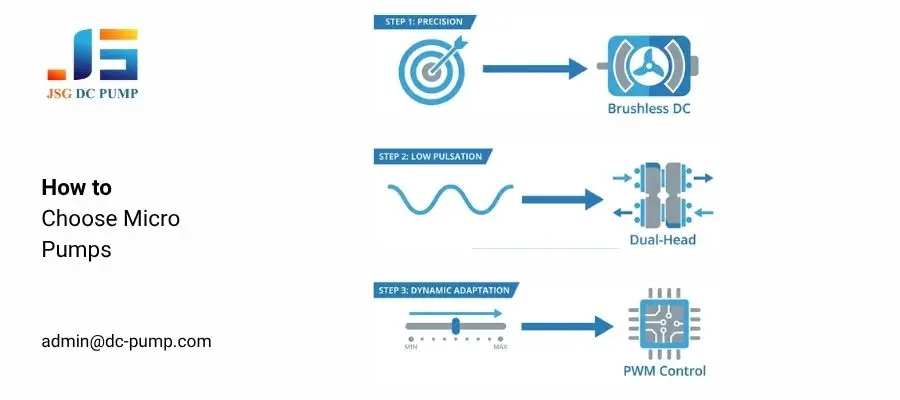
1. For the required output, check flow at working pressure — Confirm how much airflow the pump can deliver at the actual regulated pressure instead of relying only on its maximum free-flow value.
2. For lower pulsation, evaluate pump structure and damping — Compare single-head and multi-head designs together with the regulator, reservoir, tubing compliance, and valve timing.
3. For dynamic adjustment, verify control compatibility — Confirm PWM input requirements, FG feedback, controller frequency, startup current, and driver compatibility before integration.
How Can You Maintain Stable Micro Pump Flow in 3D Printing Systems?
A high-quality pump cannot compensate for an incorrectly designed pneumatic circuit. Undersized tubing, leakage, poor sensor placement, unstable power, or an unsuitable regulator can still produce inconsistent output.
Stable flow in a real printing system depends on coordinated pump selection, pressure regulation, reservoir sizing, tubing design, sensor feedback, and operating control. Engineers should measure pressure recovery, steady-state ripple, current, temperature rise, and extrusion response under the actual duty cycle.
Recommended Engineering Practices
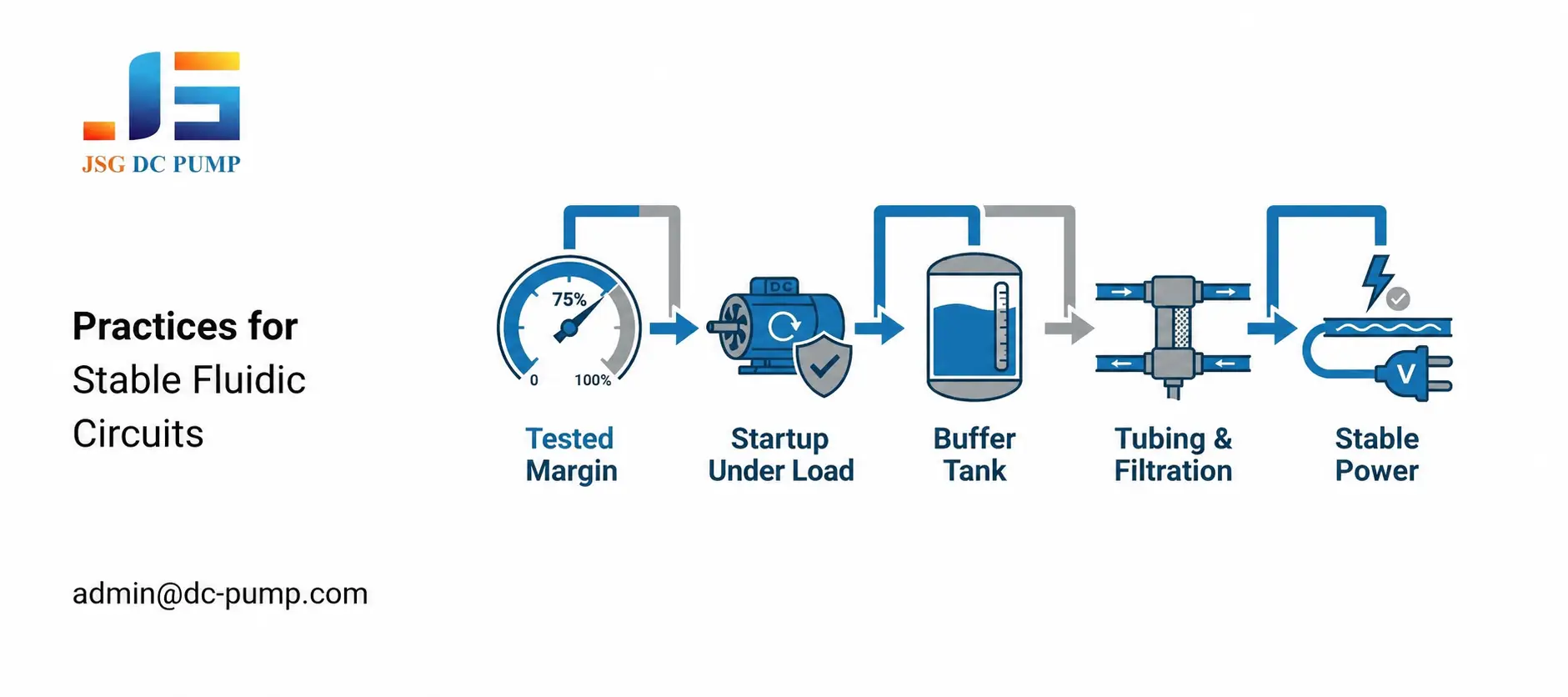
1. Establish a tested operating margin — Determine the required margin from measured load variation, pressure recovery, temperature rise, and duty cycle instead of applying one fixed percentage to every system.
2. Verify startup under load — Check whether the pump must start against residual pressure and add venting, bypass control, or valve sequencing when necessary.
3. Size buffer tanks correctly — Insufficient volume may not reduce pulsation, while excessive volume can slow pressure response and extend startup time.
4. Optimize tubing and filtration — Use the shortest practical tubing path, an appropriate internal diameter, low-restriction fittings, and filtration matched to the operating medium.
5. Ensure stable power supply — Confirm voltage, available current, PWM settings, grounding, sensor placement, and controller behavior during startup and continuous operation.
Which Stable Flow Micro Pumps Suit 3D Printing Systems?
Using one pump type for every 3D printing process can create pressure-control, compatibility, clogging, and maintenance problems. Engineers must first determine whether the system needs compressed air, vacuum suction, or auxiliary liquid transfer.
Different pump-assisted printing functions require different pump categories. Micro air pumps support pneumatic extrusion, while vacuum pumps support adsorption and automated handling. Liquid pumps should only handle confirmed compatible, suitable-viscosity fluids in auxiliary circuits.
| Pump Type | Applications | Advantages | Recommended JSG DC PUMP Models |
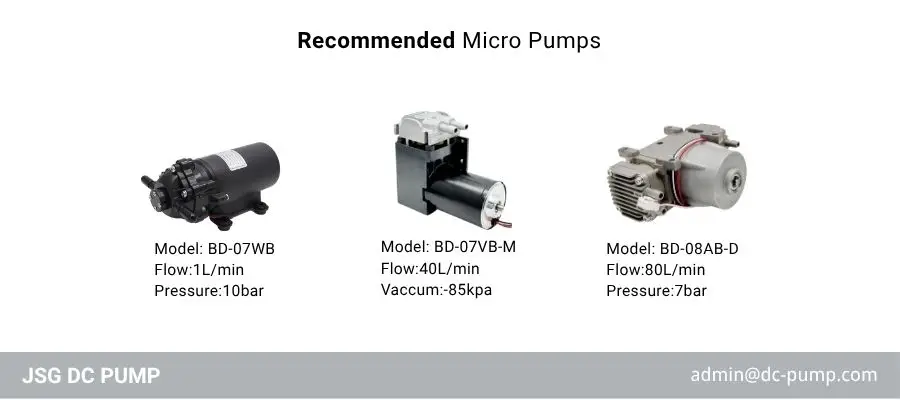
| Micro Air Pumps | Pneumatic extrusion systems; direct ink writing; pressure-assisted cartridge feeding in industrial 3D printers | Provides controllable air pressure; supports pressure recovery; can be integrated with regulators, reservoirs, valves, and pressure sensors | BD-08AB-D, 24 V, up to 80 L/min maximum free flow and 7 bar maximum pressure. Final selection should be based on airflow at the actual working pressure. |
| Mini Vacuum Pumps | Print-bed or fixture adsorption; automated material handling; vacuum-assisted positioning and stabilization | Provides adjustable suction; supports holding-force control; can improve positioning repeatability when leakage and fixture sealing are correctly managed | BD-07VB-M, 24 V, up to –85 kPa vacuum and up to 40 L/min maximum free flow depending on configuration. Select according to chamber volume, leakage rate, and evacuation time. |
| Micro Liquid Pumps | Compatible-liquid refill systems; cooling-water circuits; cleaning circuits; other validated auxiliary liquid-transfer functions | Supports compact liquid transfer and pressurization; can automate refill or circulation; requires viscosity, wetted-material, sealing, and cleaning validation | JSG07WB, 12 V or 24 V, up to 1 L/min maximum flow and 10 bar maximum pressure. Designed for clean water or confirmed-compatible liquids, not unverified resin, paste, or bio-ink. |
Conclusion
Flow instability can contribute to defects in pneumatic extrusion, direct ink writing, vacuum-assisted handling, and other pump-supported 3D printing functions. Stable flow micro pumps improve pressure, vacuum, and auxiliary liquid control. However, they cannot alone guarantee smooth surfaces, dimensional accuracy, or consistent material deposition.
Do not allow an incorrectly selected pump or poorly matched fluid circuit to limit your specialized printing system. Contact JSG DC PUMP at admin@dc-pump.com. Send your required flow, pressure or vacuum, medium, voltage, duty cycle, control method, and installation limits.
